
Shield by Text
Manage Shield from your phone
A verified business owner can choose to receive low-volume transactional Shield updates and handle bounded owner decisions by text.
How enrollment works
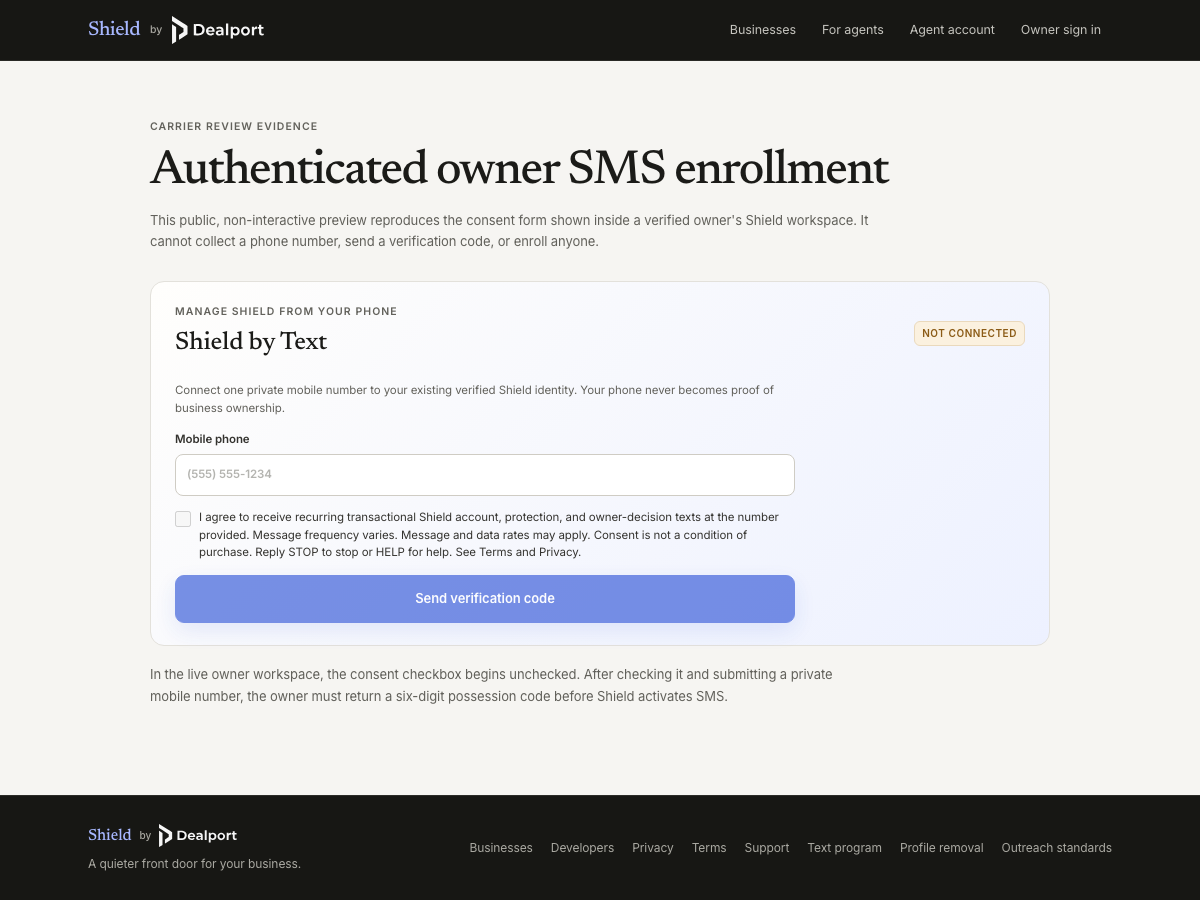
Shield by Text is available only to a business owner who has already claimed a Shield profile and verified their identity. The owner signs in, enters one private mobile number, affirmatively checks the unchecked consent box shown below, and confirms possession with a six-digit code. Providing a phone number never proves business ownership, and this public page does not enroll a number.
I agree to receive recurring transactional Shield account, protection, and owner-decision texts at the number provided. Message frequency varies. Message and data rates may apply. Consent is not a condition of purchase. Reply STOP to stop or HELP for help.
Sign in as a verified owner to open the owner workspace. If text enrollment is unavailable there, Shield cannot send a verification text or enroll the phone.
Carrier reviewers can also view a screenshot of the authenticated opt-in form and its review-only web preview. Neither surface can collect a phone number or enroll an owner.
Messages and frequency
Messages are limited to account protection updates, owner decisions about paid acquisition requests, owner-selected activity summaries, confirmed-action receipts, and replies to owner-initiated Shield questions. Message frequency varies with owner activity and selected settings. Shield sends no cold, promotional, lead-generation, invitation, or third-party marketing texts.
Help, opt-out, and resubscription
Reply HELP for help, STOP to stop texts, or START to resubscribe a previously verified phone. A STOP request takes effect before any later application send. Owners can also disconnect the phone from the authenticated workspace. For support, email support@dealport.comor visit Support.
Privacy and terms
The enrolled mobile number stays private and is not sold or shared for third-party marketing. Review the Privacy page and Terms for the program’s data handling, retention, service-provider, and owner-control details.